Canva Adds AI Disable Button
Canva has allowed users to disable generative AI features, including image creation and editing tools. A separate setting displays more human-created content in the library.
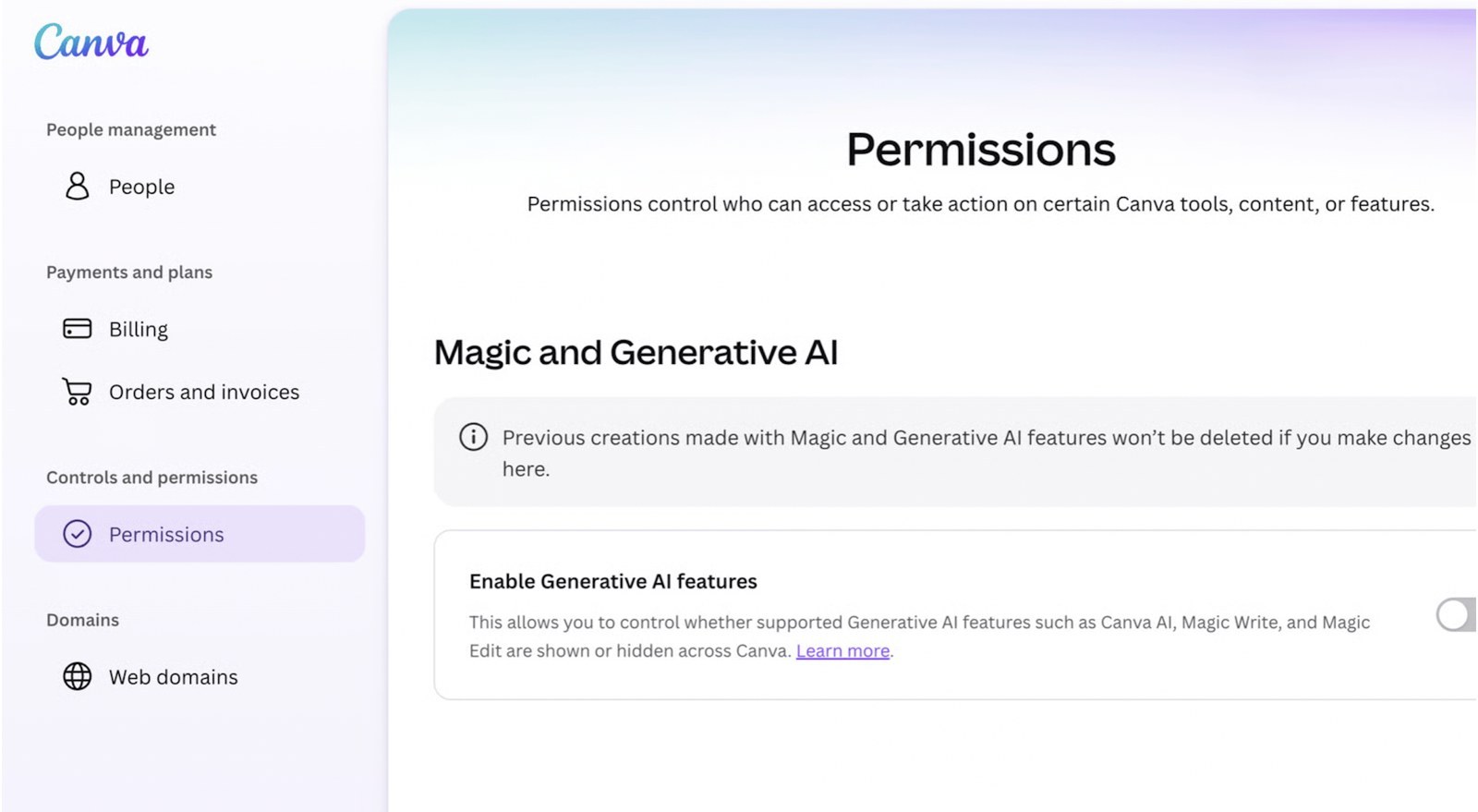
The Canva platform has added a toggle that disables generative tools, including Magic Expand for photo expansion and image creation via chatbot. The settings are available to users of both free and paid versions.
The toggle does not disable all AI-based features. Canva clarifies that Background Remover and Magic Grab will continue to function, as they only use objects already added to the design. However, the setting disables Magic Write, Magic Design, Magic Layers, Magic Edit, Dream Lab, Canva Code, AI Shapes, and other tools.
Users can also opt to display less AI-generated content in Canva’s library. When searching for templates, graphics, and other elements, the service will prioritize materials created by humans. The company states that AI content makes up a small portion of the library, and designs containing such elements are marked accordingly in the metadata.
To disable generative features, users should navigate to Profile > Settings > Permission and turn off 'Enable generative AI features.' The setting to display less AI content is located under Profile > Your account > AI personalization. The disable option was introduced after users began complaining about the increasing number of AI tools since 2023.